Guide · Provider
List your vehicles

Add your vehicle from your dashboard in three steps. KORU reviews the details and, once approved, your vehicle is ready to take online bookings.
- 3 steps: to add a vehicle
- Review: KORU checks it before it goes live
- Draft: save it and finish later
How to add a vehicle
- Your vehicle: Enter the VIN and confirm model, year, color and plates. Specs come from our catalog; we only ask for what’s missing.
- Photos and price: Upload the photos and set the daily price, the deposit and the pickup point.
- Review and submit: Upload the registration card, check the summary and send it for review.


What KORU reviews
Once you submit it, your vehicle is pending review. KORU checks the details and documents. If everything is in order, it’s approved and goes live; if not, we send it back so you can fix it.
After it’s live
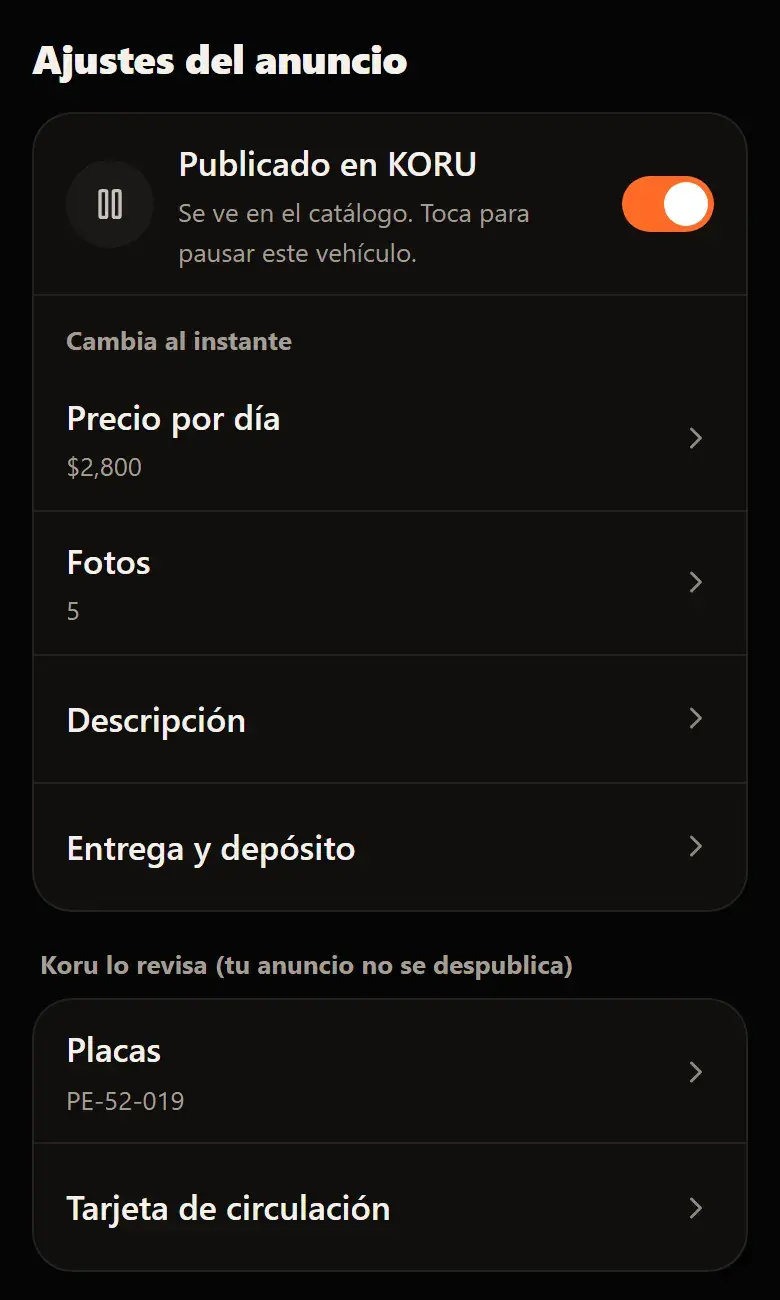
- You can pause it and publish it again from your dashboard without a new review.
- If you change plates, registration card, VIN or model, the change goes through review. Meanwhile, your listing stays live with the details already approved.
Learn more: List your first vehicle
Was this helpful?
Related articles
- Guide · ProviderWhen you get paid
Your payout goes out 5 banking business days after handover.
- Guide · ProviderHow to sign up as a provider
Your account, your INE, where we pay you and your contract. KORU reviews it and lets you know.