Guide · Guest
Sign in with a code
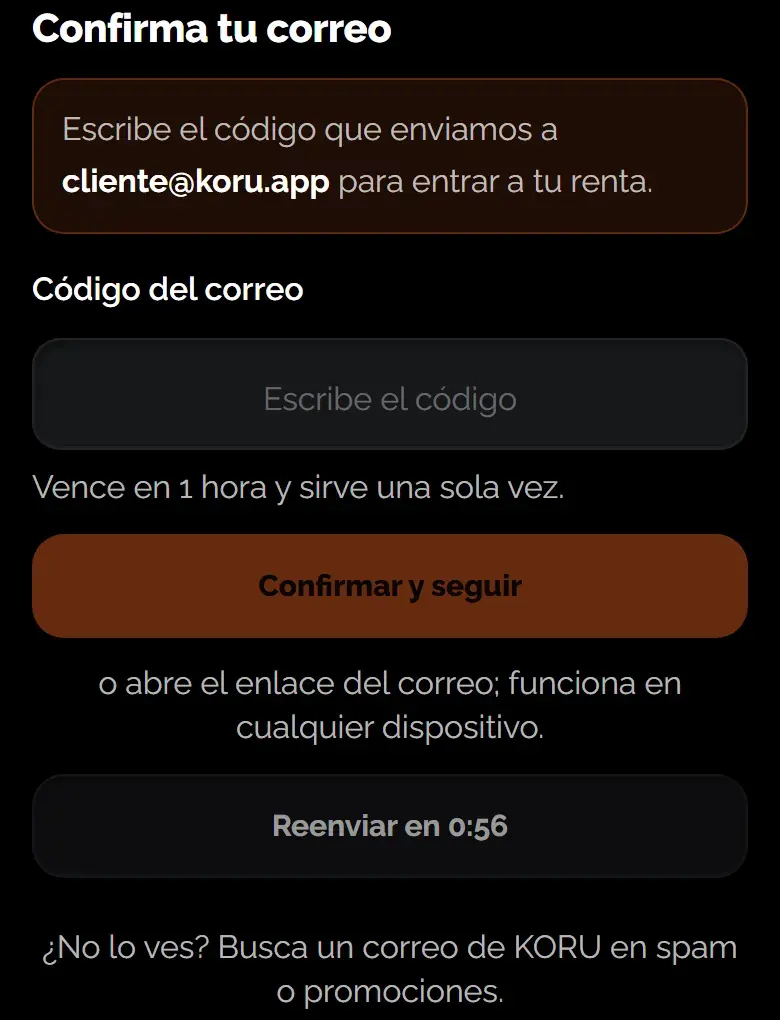
You can sign in without a password: we send a 6-digit code to your email and you type it in to get in.
- 6 digits: sent to your email
- 1 hour: before it expires
- 60 s: to request another
How to sign in
- Enter your email: Request the code with your email. If you don't have an account yet, it also works to create one.
- Find the email: It arrives in your inbox. If you don't see it, check spam or promotions.
- Type the code: Enter the 6 digits and you're in.
Good to know
The code expires in 1 hour and works only once.
If it expired or didn't arrive, request another one: you can do so every 60 seconds.
Learn more: Booked without an account: link your bookings
Was this helpful?
Related articles
- Guide · GuestBooked without an account: link your bookings
One link to your email and they all show up in My rentals.
- Guide · GuestYour personal data: see, correct or delete it
You ask online and we reply by email only.