Guide · Guest
How you pay for your rental

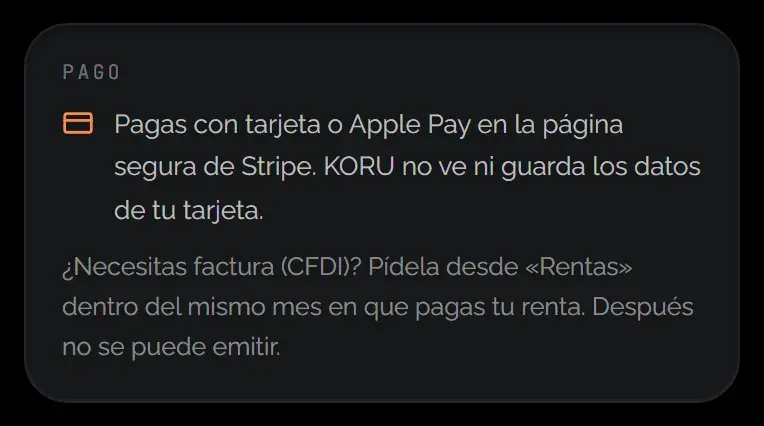
You pay by card on Stripe’s secure page, in the last step of the booking. KORU never sees or stores your card details.
- Card: Apple Pay works too
- Stripe: the secure page where you pay
- 10 min: to complete the payment
How it works
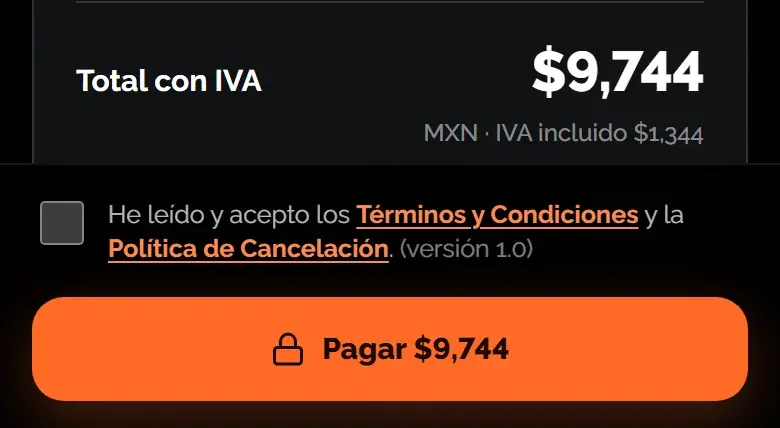
- You review the total: In “Confirm and pay” you see the breakdown and a button with the exact amount that will be charged.
- You pay on Stripe: When you tap “Pay”, we take you to Stripe’s page. There you enter your card or use Apple Pay.
- Your booking is confirmed: When you come back, the page updates by itself as soon as the payment is confirmed. If it takes more than a few minutes, we’ll email you.

Good to know
- Payment is by card only, online. There’s no cash or bank transfer option.
- You’re charged the rental total. The deposit isn’t charged in this payment.
- If the vehicle has a deposit, your card is saved so the deposit can be held later.
- Even if you open the payment twice, you’re not charged twice: there’s only one open payment per booking.
- If you have KORU credit, it’s deducted automatically before you pay.
Extra checks
Sometimes your bank asks for an extra verification to approve the payment. In some cases, KORU reviews the payment before handover; if that happens, you see the reason in your rental.
Was this helpful?
Related articles
- Guide · GuestHow refunds work
It goes back to the card you paid with, in 5 to 10 business days.
- Guide · GuestWhat the price you see includes
Rate, VAT, home delivery and deposit, before you pay.
- Guide · GuestHow the deposit works
It’s a hold on your card, not a charge. Here’s when it’s released.