Guide · Guest
Choose where you get your vehicle

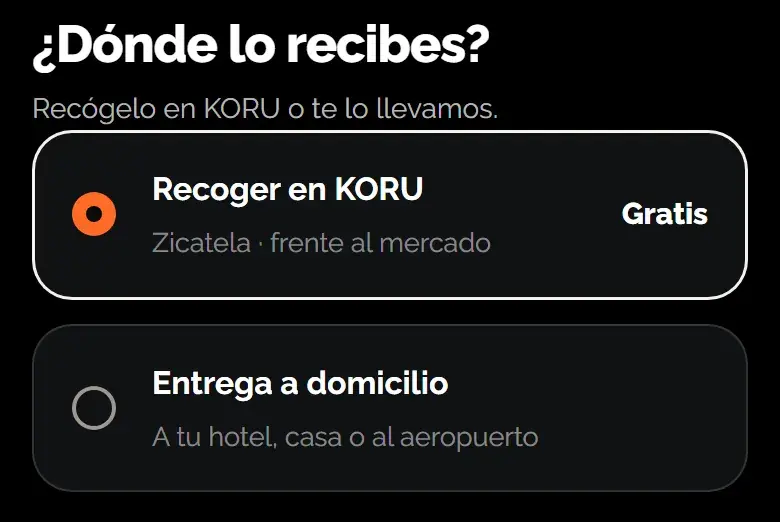
In the dates step you choose how you get the vehicle: you pick it up at a provider’s location or, if the vehicle offers it, they bring it to your address.
- Free: pickup at a provider’s location
- Home delivery: only if the vehicle offers it
Pick up at a provider’s location
Pickup is free. If the provider has two or more locations, you see them on a map and in a list, with their hours, and choose one. If you don’t choose, the main location is used.
Before you pay, you see the approximate area of the location. The exact address comes with your rental.
Home delivery
- Choose “Home delivery”: The option only appears if the vehicle offers it.
- Set the spot: Search for your address or hotel, use your location or, if you see the map, move the pin. Add a reference so they can find you.
- Check the cost: If delivery has a price for your address, you see it before paying as a separate line. If not, we share your location with the provider by message to agree on the cost, and that cost isn’t charged in the booking payment.

Was this helpful?
Related articles
- Guide · GuestWhat the price you see includes
Rate, VAT, home delivery and deposit, before you pay.
- Guide · GuestHandover day: QR, photos and dashboard
What happens when you get the vehicle and what you need to do.
- Guide · GuestHow to return your vehicle and what gets checked
Photos, dashboard and what happens to your deposit afterwards.